Friday, 9 December 2011

Android 10-cent app sale, 10 billion downloads and counting

The Android Market has hit 10 billion downloads. Google is celebrating this milestone by throwing an unusual sale: each day 10 different apps will be put on sale for 10 cents. The offer will run for 10 days. If you love to buy apps, you now have the chance to buy 100 of them for $10.
Although Google's app store has reached 10 billion downloads, that number continues to grow at an almost exponential pace. The company claims they expect a growth of 1 billion apps per month and predicts continued acceleration in the coming months. By comparison, the Apple App Store is estimated to have reached 18 billion downloads this month, 5 billion of which came in the first two years of offering apps.
While the Android Market continues to catch up to the App Store in a variety of metrics, Google continues to lag behind in revenue. As we reported a couple of weeks ago, Apple rakes in nearly 1200% more in profit than Google through its app market, seemingly the result of Android owners' conservative tendencies toward app purchasing.
Titles listed on on the blog include Minecraft Mobile, Sketchbook mobile, Asphalt 6 HD, Color & Draw for Kids, Endomondo Sports Tracker Pro, Fieldrunners HD, Great Little War Game, Paper Camera, Soundhound Infinity & Swiftkey X. Although these deals were posted Tuesday, they still appear to 10 cents this Wednesday afternoon.
The 10 cent sale is being done in cooperation with developers with whom Google has partnered. So far, we don't know what titles will be available in the days to come, but you can check out the Android Market promotional page to see what has made it into the 10 cent bin.

HP's $99 TouchPad fire-sale is back

In August, Hewlett Packard made the shocking announcement that it would halt its webOS projects and potentially exit the PC market by selling or spinning off its Personal Systems Group (PSG) division. Along with the news the company began a firesale of the already discounted TouchPad to get rid of excess inventory from component suppliers.
The 16GB model was advertised for a mere $99, while the 32GB model went for $149. Ironically, HP's tablet became such a huge success at this new price point that some vendors were hiking the price a bit in order to profit from the huge overnight demand.

This weekend the TouchPad firesale returns one last time for U.S. customers. Starting Sunday, December 11 at 7pm Eastern time, refurbished 16GB and 32GB versions of the webOS tablet will be available on HP’s ebay store at the same $99 and $149 price points. HP will also offer an accessory bundle for $79, which includes a wireless keyboard, charging dock and case.
Judging by how popular the last sale was, you will likely need to be very quick in order to successfully grab one at these prices. In addition, looking at HP's delivery policy on their eBay account it will only be open to U.S. residents, so those elsewhere in the world will unfortunately miss out yet again.
The TouchPad tablet was pulled after just three months of disappointing sales on the market and as former CEO Leo Apotheker sought to refocus the company on the more lucrative software, systems, and services business. The unpopular decision -- or rather the lackluster way of communicating and executing it -- led to his ouster in September and replacement by former eBay chief Meg Whitman.
Whitman decided shortly after taking the reins that the company would retain their PC business, and is expected to make a decision on webOS' fate next week. The company has already slashed more than 500 jobs at its webOS division and another 600 people remain in limbo while tough decisions are made.


Sunday, 4 December 2011

Tricks for Google Chrome

There are a number of tricks that will help you unleash the most of this browsers potentials.

  • Using about:flags

about:flags

about:flags is quite similar to Firefox about:config. Simply type about:flags in a tab as URL and you would be provided with a list of flags that are actually some of the hidden features of Google Chrome which now you can toggle on or off at your will.For the settings to take place you may need to restart the browser.

  • Using multiple Profiles

Multiple profiles allow you to share your computers with others with ease without the fearing that all your past interactions are exposed to him or her. Creating multiple profiles in Google Chrome unlike Firefox is not a one click process to do so follow these steps.
  1. Open your Google Chrome installation folder that is available at: C:\Users\<username>\AppData\Local\Google\Chrome
  2. Now we will create a folder to hold all your profile data. navigate to folder User Data and copy the sub-folder named Default in the same directory and rename it any thing you may want,say,Profile2.
  3. Open “Command Prompt”, switch to the Chrome Application folder and run the following command:
    chrome.exe –user-data-dir=”..\User Data\
    Profile_2” -first-run
  4. To run Google Chrome using this profile instead of the default profile, just create a shortcut on your desktop as folllows:
    C:\Users\Aryaman\AppData\Local\Google\Chrome\Application\chrome.exe  –user-data-dir=”..\User Data\Profile_2″
Now whenever you want to use this profile simply click on this shortcut to launch this profile.

  • Run Greasemonkey scripts

Greasemonkey is an add-on that enables you to take your browsers potentials to an all together new heights by enabling you to run java-scripts. These scripts can run on webpages that can add features that are not available by default. The best part about Greasemonkey is that Greasemonkey scripts are natively supported by Google Chrome without installing any Add-on. To use scripts navigate to www.userscripts.org and navigate to script of your choice and, just click install. Your installed Greasemonkey scripts would be shown as extensions.

  • Enable Private Browsing

chrome-private-browsing

Private browsing helps users to keep the trace of their web activity a secret. Google Chrome users can use Incognito window to do so.The best part about using the Incognito window is that it automatically disables all the extensions so there is no chance that some your extensions sneaks into your privacy.Opening an Incognito window is quite simple as an option to do so is already available. Alternatively use the keyboard shortcuts [Ctrl]+ [Shift]+ [N]

  • Add RSS Support

rss in google chrome

By default Google Chrome doesn’t support RSS and it may not even detect RSS feeds.But the the chrome team came with a solution to this problem also in the form of RSS Subscription Extension. This extension enables its users to auto-detects RSS feeds on the page and upon finding one will display an RSS icon in the Omnibox, clicking on which will preview the feed content and subscribe.The extension comes with 4 feed readers predefined (Google Reader, iGoogle, Bloglines and My Yahoo) but also allows you to add any web-based feed reader of your choice to the list.


Demo Windows Phone 7.5 on iPhone and Android handset Check it Out!

Have you ever been curious about a new phone but didn’t want to have a sales associate hanging over your shoulder while you checked it out? If so, you’re in luck as Microsoft has released a Windows Phone 7.5 Mango ‘trial’ that you can access from your iPhone or Android smartphone without leaving the house.

The semi-guided tour can be accessed by visiting http://aka.ms/wpdemo with your phone’s browser. The HTML5-based site mimics the look and feel of Windows Phone on your device. Once started, you can select multiple different demos including People, Family, Pictures, Local Scout, Calendar, Outlook, Messaging and Phone.

While exploring each category, a blue dot will appear that prompts you where to go to reach the next step and ultimately the end of each section. You are free to ignore the prompts and explore at your own leisure but ultimately you will need to follow along to complete the task.

The web app was surprisingly responsive on an iPhone 4 and  it would perform similarly on an Android phone.

At the end of the demo users are prompted to share their experience via social networks like Facebook and Twitter or go directly to a list of available Windows Phone handsets. Those phones include the Samsung Focus S, HTC Titan, Samsung Focus Flash, HTC Radar 4G, HTC Trophy, HTC Arrive, Nokia Lumia 800, Nokia Lumia 710, HTC HD7 and the Samsung Focus.


Windows 8 beta may be launched in February

Microsoft may release the first public beta of Windows 8 as early as February 2012, according to sources close to the company cited by The Next Web. An exact date for the completion and shipping of Microsoft's next major operating system release remains unknown for now, but putting Windows 7's release milestones in a Windows 8 context, the site believes the completed RTM version could hit the market around June.
If their estimates are accurate, Windows 8 could arrive late in Q3 or going into Q4, just ahead of the 2012 holiday season, giving partners enough time to ship the OS with their PCs and tablets. By comparison, Microsoft released a public beta of Windows 7 in January of 2009, with the final version hitting in October.
The site says it hasn't been able to confirm exactly what will be included in the beta itself, as the feature set will be decided based on which components are ready for public testing at the time of release.
A developer preview of Windows 8 has been available since mid-September, but Microsoft has been cooking a number of changes and new features that are due for the beta and final versions. The company has detailed a few of them in their official Building Windows 8 blog, including better memory management, changes to the Task Manager and Windows Explorer, search improvements, among others.
One particular feature that has received a fair amount of criticism from users is the new Metro start screen, a touch-optimized interface akin that of Windows Phone . Microsoft says Metro represents a major re-think of how users interact with Windows, and while users can easily switch to the classic desktop environment, many are concerned that having it as the default start screen for non-touch devices would make no sense.
It seems like an easy problem to fix but it remains to be seen if Microsoft is willing to make that concession.
On a related note, rumors are starting to emerge that the traditional Windows desktop will not be included on Windows 8 tablets powered by ARM-based processors. Instead, these devices will rely exclusively on the Metro user interface and software written specifically for it. That sounds like a reasonable thing to do, at least initially, considering the amount of work it would take to tweak 'legacy' x86 software for ARM chipsets -- not to mention these applications are not optimized for touch environments.


Saturday, 3 December 2011

Apple loses to Samsung patent fight in Australia

As we probably know, down under in Australia both Apple and Samsung are battling it out in the courts over patent infringement over the Samsung Galaxy Tab 10.1 looking and feeling like the Apple iPad, or so claims Apple, and the fruity company managed to get an interim ban of sales of the Android slate in Australia.
However, in a bit of a kick in the jaw to Apple, according to an article over on Ubergizmo by way of Reuters, old Sammy can again start selling the Samsung Galaxy Tab 10.1 in Australia as soon as Friday.

The reason for this is Samsung has gained a win over Apple and thus lifting the preliminary ban on the sale of the tablet. Apparently an Australian federal court unanimously decided to life the injunction that was imposed by a lower court.

However, Apple can probably file an appeal against the lifting of the Galaxy Tab 10.1 ban, but that will of course take time, and thus allows old Sammy to take advantage of the run up to Christmas to shift their Android slate in Australia during the busy shopping season.
But if this new ruling stands firm in Australia it could mean that other countries that have also granted Apple a ban on the Samsung Galaxy Tab 10.1 to reconsider their ban also, which in turn could lead to more Samsung wins over Apple.
I any case I am sure Samsung is quite happy at being able to offer the Galaxy Tab 10.1 during the holiday season down under, and no doubt Apple is somewhat lacking that festive feeling at hearing the news.

iPhone 5 & iPad 3 with LTE in 2012

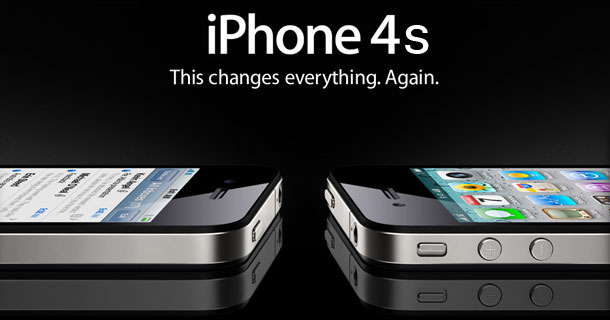
As Apple decided in their infinite wisdom to short-change the iOS faithful when they pushed out their latest smartphone the iPhone 4S those iOS faithful look forward to next year when hopefully Apple will make good on delivering the iPhone 5 and Apple iPad 3, and there is some rumour doing the rounds on both future iDevices.
According to the guys over at Phone Arena by way of Nikkei (translated) the word is Japanese carrier NTT DoCoMo will apparently be releasing the iPhone 5 towards the end of 2012 and the Apple iPad 3 sometime in summer of 2012.
Furthermore apparently both the next generation iOS slate and the iPhone 5 will come out to play sporting LTE functionality something Apple has continually passed on previously due to the roll out of 4G LTE networks.
According to the Nikkie report Tim Cook, Apple’s CEO had a meeting with the president and vice president of NTT DoCoMo, Kiyoyuki Tsujimura and Takashi Yamada during last month to talk about the conditions that would enable the carrier to offer both the Apple iPad 3 and iPhone 5, and word is a deal was agreed including the quantities of the iDevices NTT DoCoMo will order.
Of course Apple isn’t coming forth to confirm any of this, so for now at least it remains firmly in the land of speculation and should be treated as such. However it seem fairly obvious to me that Apple has to deliver the iPhone 5 and iPad 3 in 2012 and both should step up their game with 4G LTE aboard if they are to compete against rivals in the same playing field.


Twitter Delicious Facebook Digg Stumbleupon Favorites More

 
Design by Free WordPress Themes | Bloggerized by Lasantha - Premium Blogger Themes | Hosted Desktops