Friday, 25 November 2011

Nokia Lumia 800

The Nokia Lumia 800 shares its exterior styling with the previously substantially less hyped Nokia N9, a Meego-based smartphone, although the screen size is reduced from 3.9" (854x480 pixels) to 3.7" (800x480 pixels) to conform to the Windows Phone spec list.
The CPU, however, increases from the 1GHz ARM Cortex-A8 to the 1.4GHz MSM8255 Snapdragon/Scorpion which certainly helps add snap to the Windows Phone Mango OS.
The Nokia Lumia 800, although being the more expensive of the two Nokia Windows Phone offerings (the other being the budget Nokia Lumia 710) shares the Nokia N9's 16-bit AMOLED ClearBlack display whereas the Nokia Lumia 710 sports a 24-bit ClearBlack TFT. 
This being said, even though the colour depth is theoretically deeper than in the Nokia Lumia 710, AMOLED screens are seen as better than the older TFT technology due to the more vivid colours and better contrast ratios.
Moving away from Nokia comparisons, the Lumia 800 also has to compete with the likes of the HTC Titan and HTC Radar Windows Mango phones. When we compare screen size we find the Nokia Lumia 800 feeling a little small with the HTC Radar and HTC Titan entering the fray with 3.8" and 4.7" screens respectively although all competitors are limited to the same 800x480 pixel resolution.
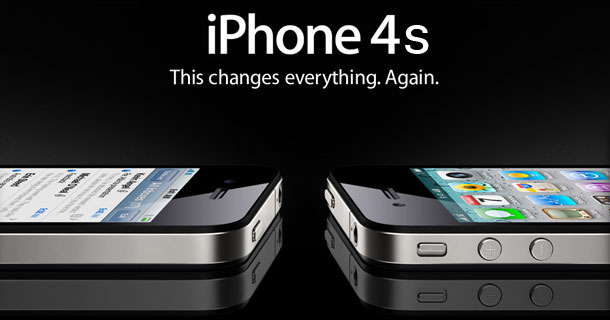
Obviously the iPhone has managed to be a success with a smaller screen at 3.5-inches, but the trend towards bigger displays is increasing all the time, and we have to say we're fans of those over four inches thanks to the improved internet and media experience.
This means that the pixel density on the Lumia 800 is a little sharper, but in our side by side comparisons we noted very little difference between the three, and even the Lumia 800 displaying text with a little less clarity.


Panasonic Toughpad A1

Panasonic has announced and named one tablet, called the Toughpad A1, and mentioned a second one called the Toughpad B1. The A1 10.1-incher will come running Android 3.2 Honeycomb, and will house a 1.2GHz dual-core processing chip by Marvell. Other Panasonic Toughpad A1 features will include 1GB of RAM, microSD card slot for expansion up to 32GB, and 16GB of storage built-in. This model has a 4-foot MIL-STD-810G drop rating, 2.13 pounds in weight, operating temperatures between 14 and 122 degrees Fahrenheit, and does not mind a little bit of water and dust. The battery within the A1 is serviceable, comes with front and rear cameras, and you can choose LTE or WiMAX connectivity, it also comes with a stylus. This new tablet comes with custom deployment, software encryption and device management.

Archos 101 G9 (10.1-inch)

The good: The Archos 101 G9 (8GB) runs 1080p video smoothly and has a good-quality screen, and its kickstand is a useful addition.
The bad: The tablet is too large for what it offers and has awkward button placement. Also, its single camera had poor recording quality.
The bottom line: The Archos 101 G9 (8GB) delivers a complete Honeycomb experience, but its rough design, low-quality camera, and awkward button placement make it feel rushed to market.

The tablet business is pretty cutthroat (just ask Hewlett-Packard), and with the release of the Amazon Kindle Fire just weeks away, it's only going to get scarier out there for would-be iPad competitors.
The timing of a tablet release is crucial, but does rushing a tablet to market to beat the wave of upcoming competition do more harm than good?

Design
The Archos 101 G9 has a medium-gray plastic chassis and its 1.44-pound body feels relatively thin, and about as heavy as most 10-inchers. When we held the tablet, a couple of edges on the bottom side got our attention. Also on the bottom are two small handles, ostensibly used to pry the chassis open. Although they don't stick out as much as they did on the Archos 80 G9, not only do they muddy the aesthetic quality of the chassis somewhat, but they can also be distracting when holding the tablet.


HTC Flyer (U.S. Cellular)

The good: Fans of 7-inch tablets will appreciate the HTC Flyer's screen quality, durable construction, HD video recording, and unique features, such as digital pen compatibility and HTC's Sense UI customization.
The bad: The Flyer is small, thick, and pricey, and isn't running Google's Android 3.0 tablet OS. Its most distinctive feature, the Magic Pen, may not come included and is expensive to replace.
The bottom line: The HTC Flyer puts a new spin on the 7-inch Android tablet, but its high price and smartphone-style OS are a tough sell next to its bigger, cheaper Honeycomb kin.
Features
As a 7-inch tablet running Android 2.3, the Flyer doesn't show us much we haven't seen on the Samsung Galaxy Tab running Android 2.2. We do appreciate HTC's Sense UI customizations for social network feeds and commonly used applications (Mail, Internet, Stocks, Weather, Reader), but that hardly makes up for the $150 premium over the Tab. There are a few little things that made us smile, such as Adobe Flash 10.1 being preinstalled, and the browser's default setting to load full sites instead of their mobile-optimized versions. Still, these are refinements of an OS designed for smartphones, at a time when Google is pushing a distinctly different OS (Honeycomb) for use on tablets. It's going too far to say that HTC is putting lipstick on a pig, but HTC is definitely putting considerable effort into dressing up Android 2.3 to make it tablet-worthy


Fusion Garage Grid10 Wi-Fi tablet -16GB (10.1-inch)

The good: The Fusion Garage Grid10 has a unique OS interface and is relatively light, with a minimalist chassis design.

The bad: As unique as the OS interface is, it can also be inefficient and unnecessarily complex. The two-finger gesture support makes it difficult to navigate while holding the tablet, and the angular corners dug deeply into our palms. Also, it includes only one camera and its battery drains quickly.

The bottom line: The Fusion Garage Grid10 has a unique interface that is ultimately the major barrier to enjoying using the tablet. Bad performance and low-quality components don't help

The Fusion Garage Grid10's unique Grid Launcher interface is at once its greatest asset and worst quality. The UI is quite unlike any other tablet's, offering a different way of accessing apps and navigating the menu system, but at the same time, it's inefficient, clunky, sluggish, and utilizes a ridiculously unnecessary two-finger swipe navigation.
Unlike the Grid Launcher interface, the Grid10's settings menu is fairly typical of most Android tablets.
The Grid10's lock screen allows you to sign in with your own signature. If for whatever reason you fail, you can still sign in with a password.


HTC Jetstream

The good: The HTC Jetstream has good build quality and thoughtful design. Also, HTC's Sense interface is integrated into Honeycomb with great success.
The bad: The HTC Jetstream is way overpriced for what it offers, either with a contract or without, and the 4G LTE speeds will be experienced by only a few in the U.S. Also, although button placement is sound, the tablet is thicker and heavier than we prefer.
The bottom line: The HTC Jetstream brings Sense to Honeycomb successfully, but it prices itself out of most consumers' budgets, while offering little to compensate.

Lenovo ThinkPad Tablet

The good: The Lenovo ThinkPad Tablet has several business-oriented features that should bring a smile to the IT crowd, along with digital pen support and a beautiful screen.
The bad: The tablet is relatively thick and heavy, with unnecessary navigation buttons and uninspired Android interface optimizations.
The bottom line: If your IT department could design a tablet, the Lenovo ThinkPad Tablet would be it.
Design
The ThinkPad Tablet feels like a coffee table book. It's a big, tough tablet, and for some professionals that's probably a selling point. Held in portrait orientation (the preferred view, judging by the direction of the logos and labels), it measures 10.2 inches tall, 7.2 inches wide, and 0.5 inch thick. A front-facing 2-megapixel camera sits in the top-right corner, with a 5-megapixel camera on the flip side. The back is covered in a nonslip matte finish tastefully emblazoned with the Lenovo and ThinkPad logos.

Twitter Delicious Facebook Digg Stumbleupon Favorites More

 
Design by Free WordPress Themes | Bloggerized by Lasantha - Premium Blogger Themes | Hosted Desktops